Sample Course Design
This page provides a visual example of how a course can be structured within Canvas to create a clear, consistent, and easy-to-navigate learning environment. While branding, design, and content will vary across courses and programs, the underlying structure is designed to help students move through the course with confidence—and to make it easier for instructors to update, reuse, and manage the pages over time.
Many Canvas courses rely on the Modules view to deliver content. While functional, this approach can gradually evolve into a long, unstructured list of materials. It often ends up looking something like this.
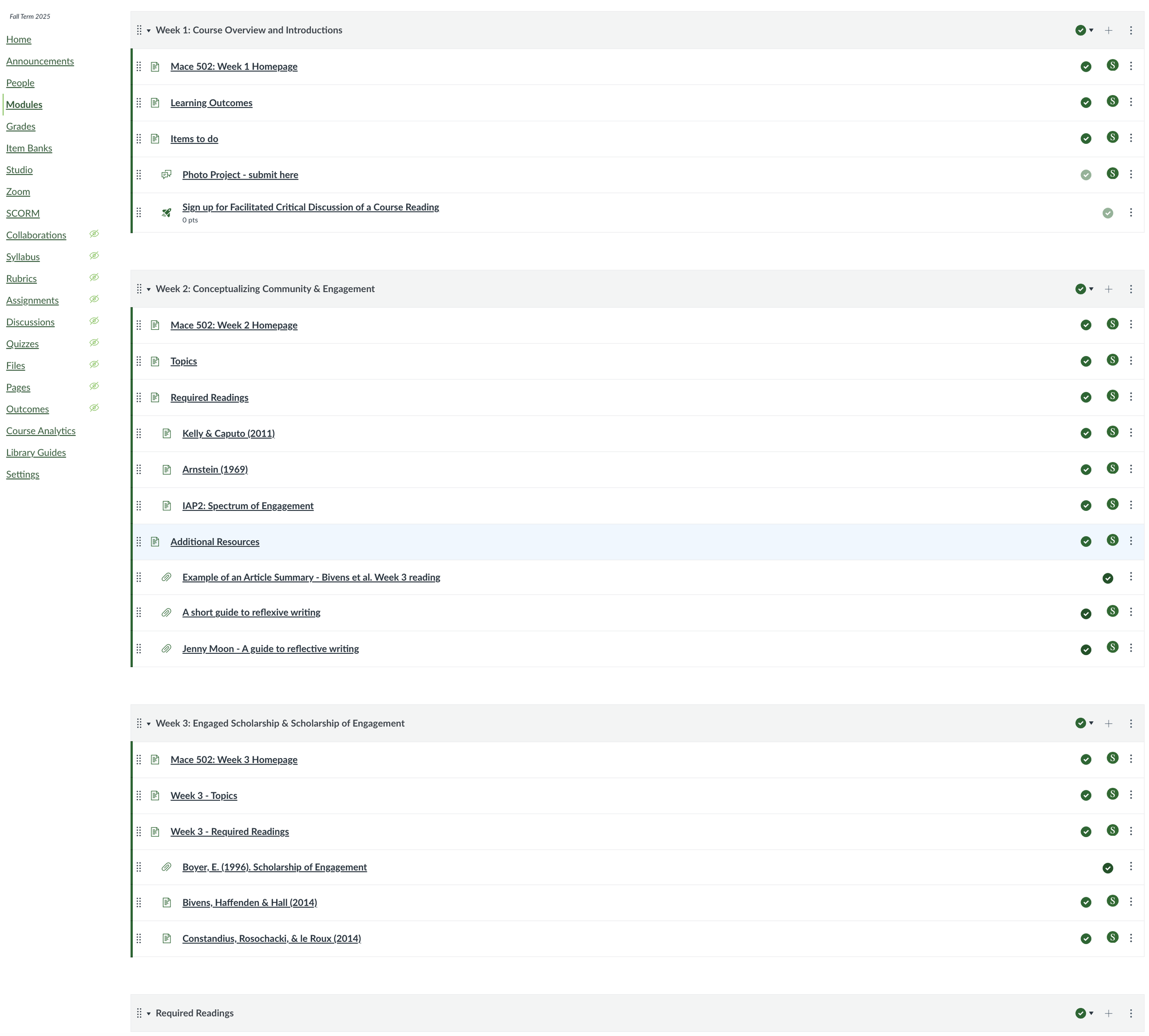
Content is present, but structure is implicit. Students must interpret what to do, when to do it, and how it connects.
Through the instructional design and build process, the course is transformed into a structured set of pages designed to support a clear and intentional learning progression.
Below are examples of several redesigned Canvas course pages, including a Course Homepage, Getting Started page, Course Overview page, Module/Week page, and Assessment page.
Course Homepage
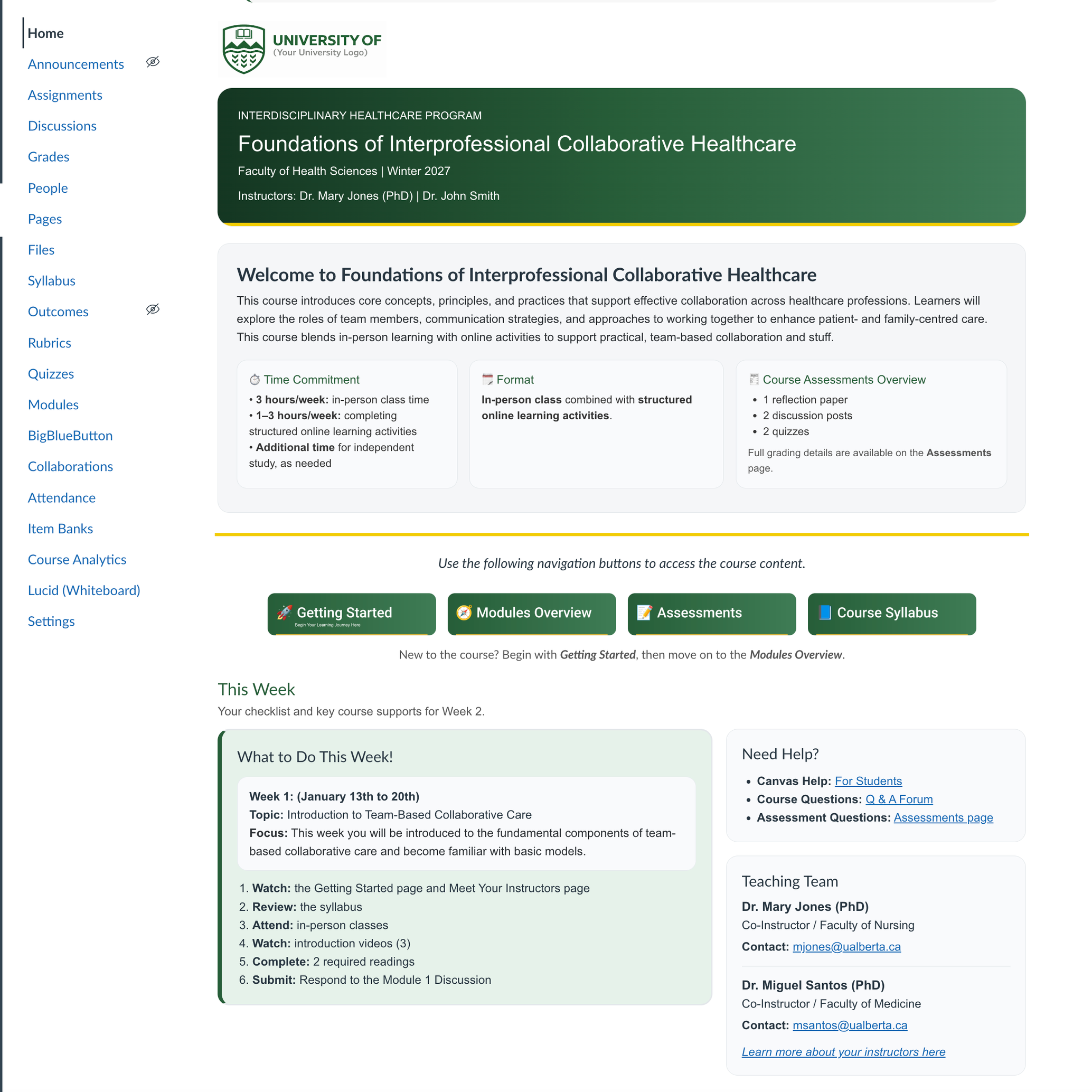
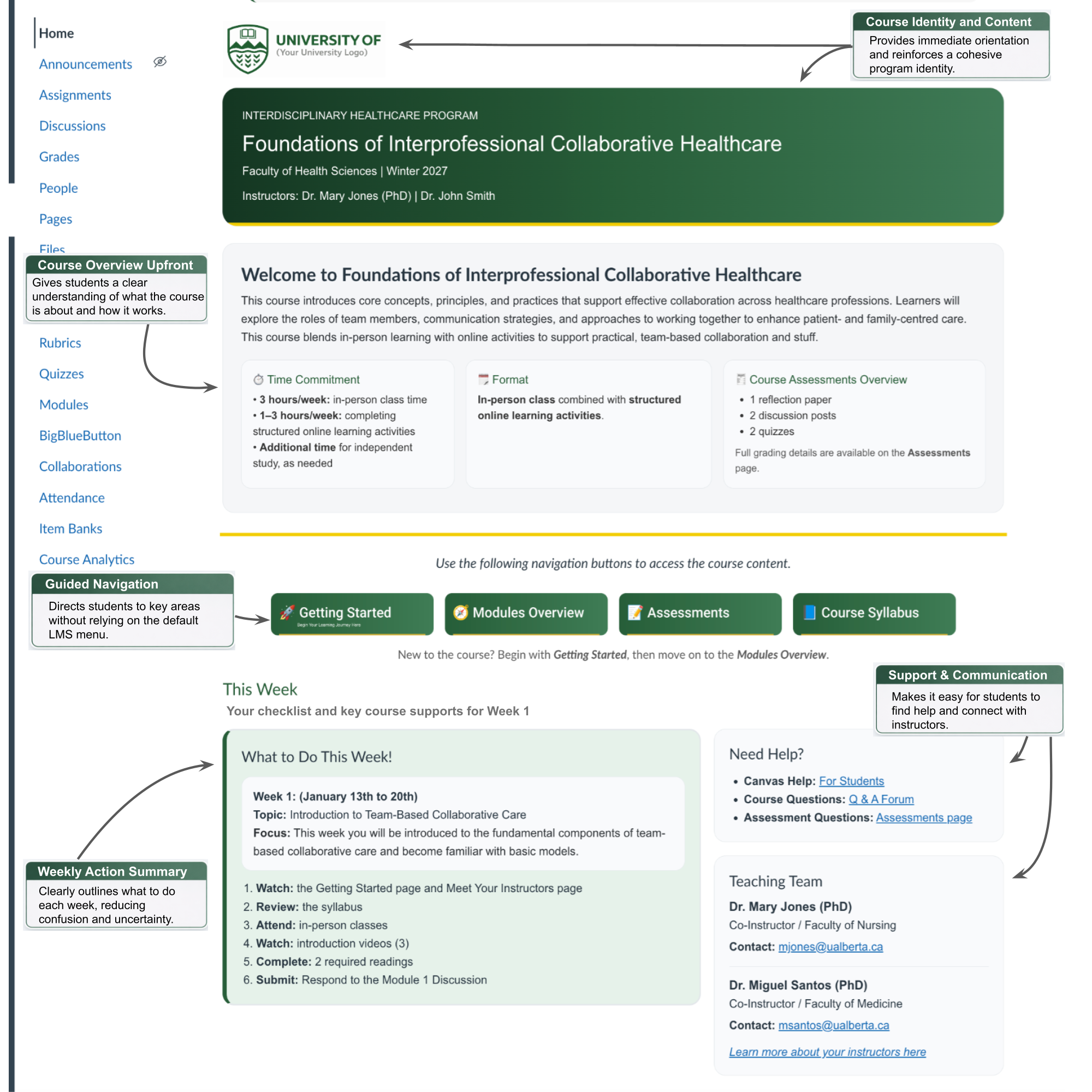
The course homepage is the central entry point for students. It is designed to quickly orient the learners within the course, highlight what needs attention, and provide clear access to key information. A well-structured homepage reduces confusion and helps students navigate the course with confidence. The first image shows a clean version of the homepage, while the following image highlights key design features and structural elements (click on the small arrows to the right and left to toggle between views).
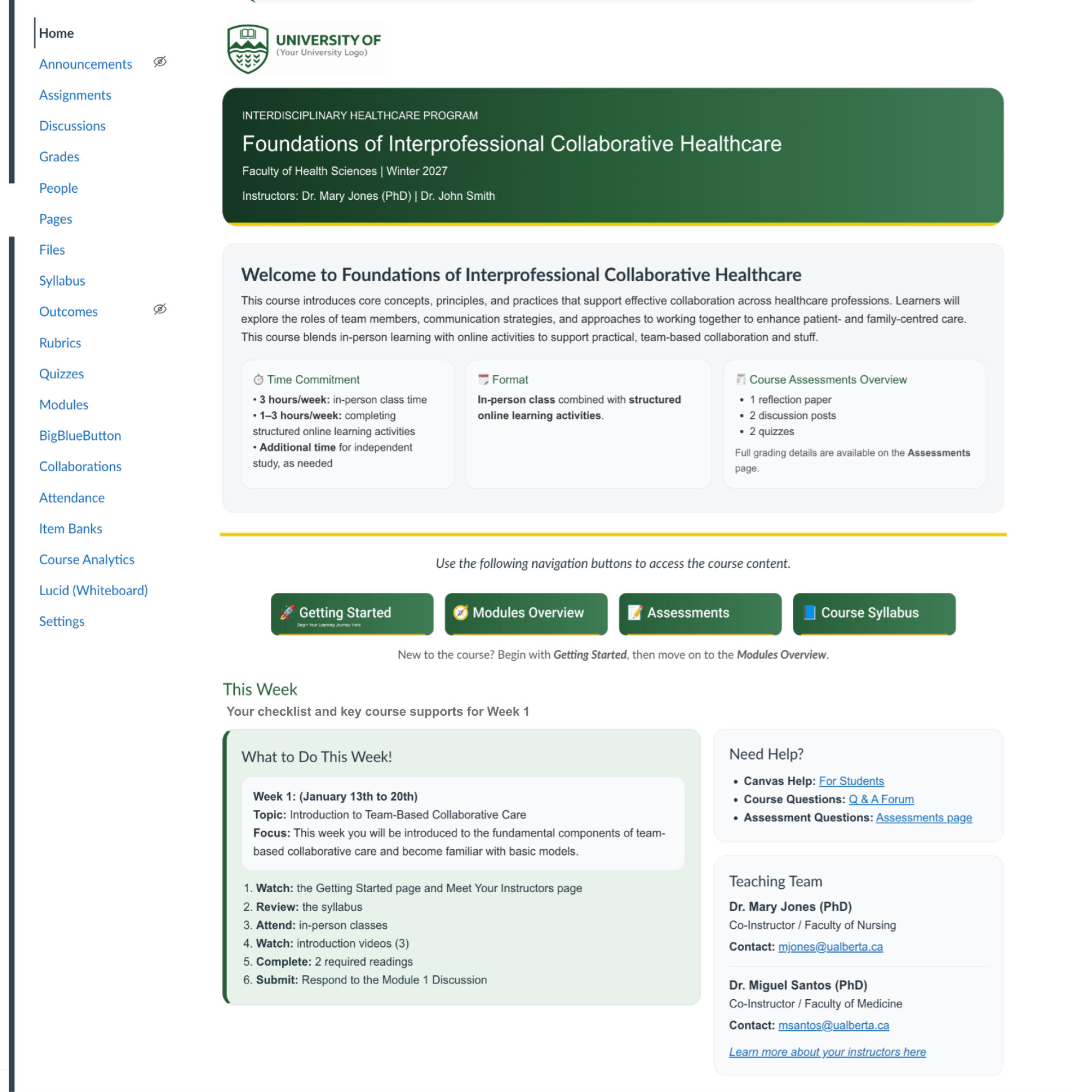
Course Homepage Sample
Getting Started Page
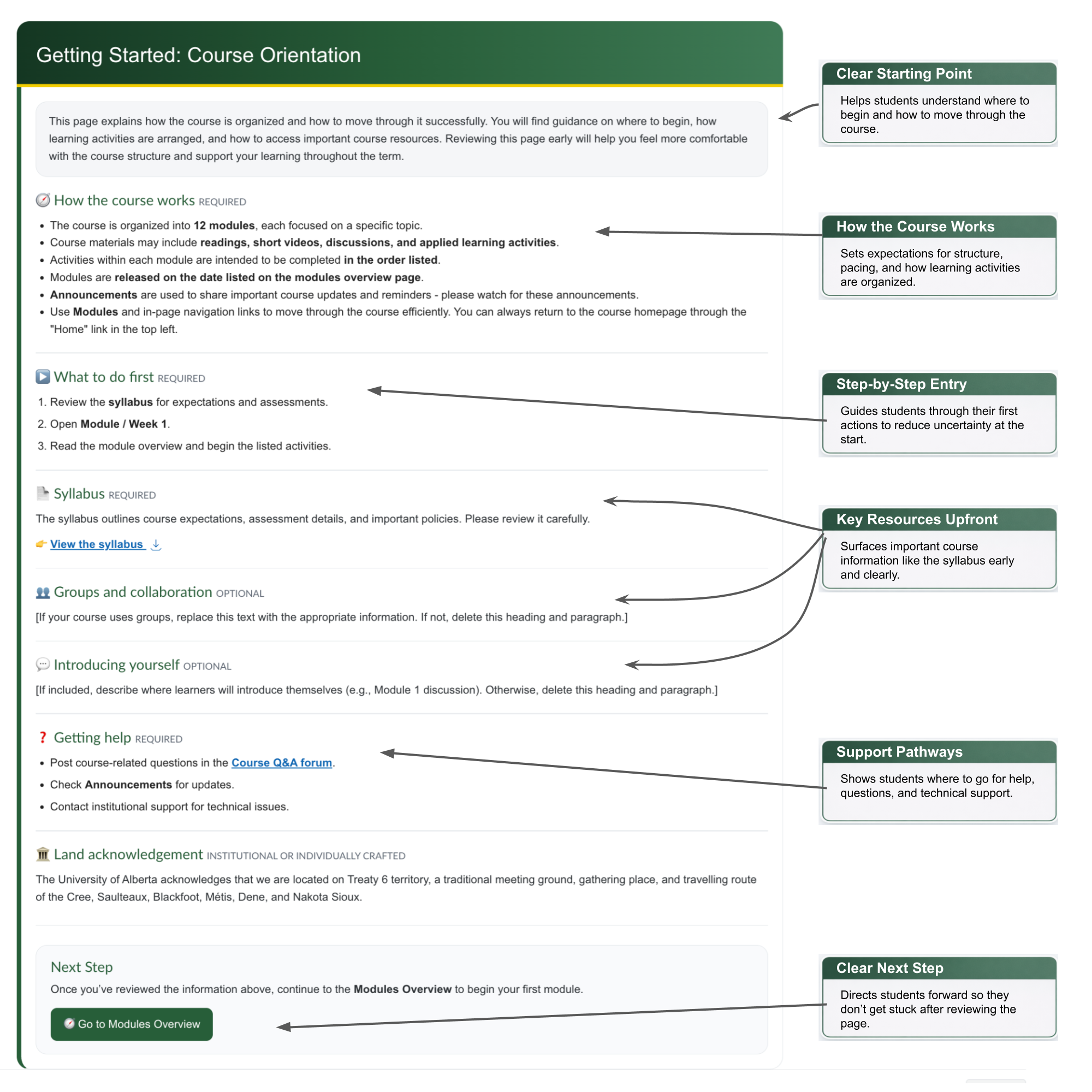
The Getting Started page helps students begin the course with clarity and confidence. It brings together essential information, expectations, and next steps in one place, making it easier for students to get oriented from the start.
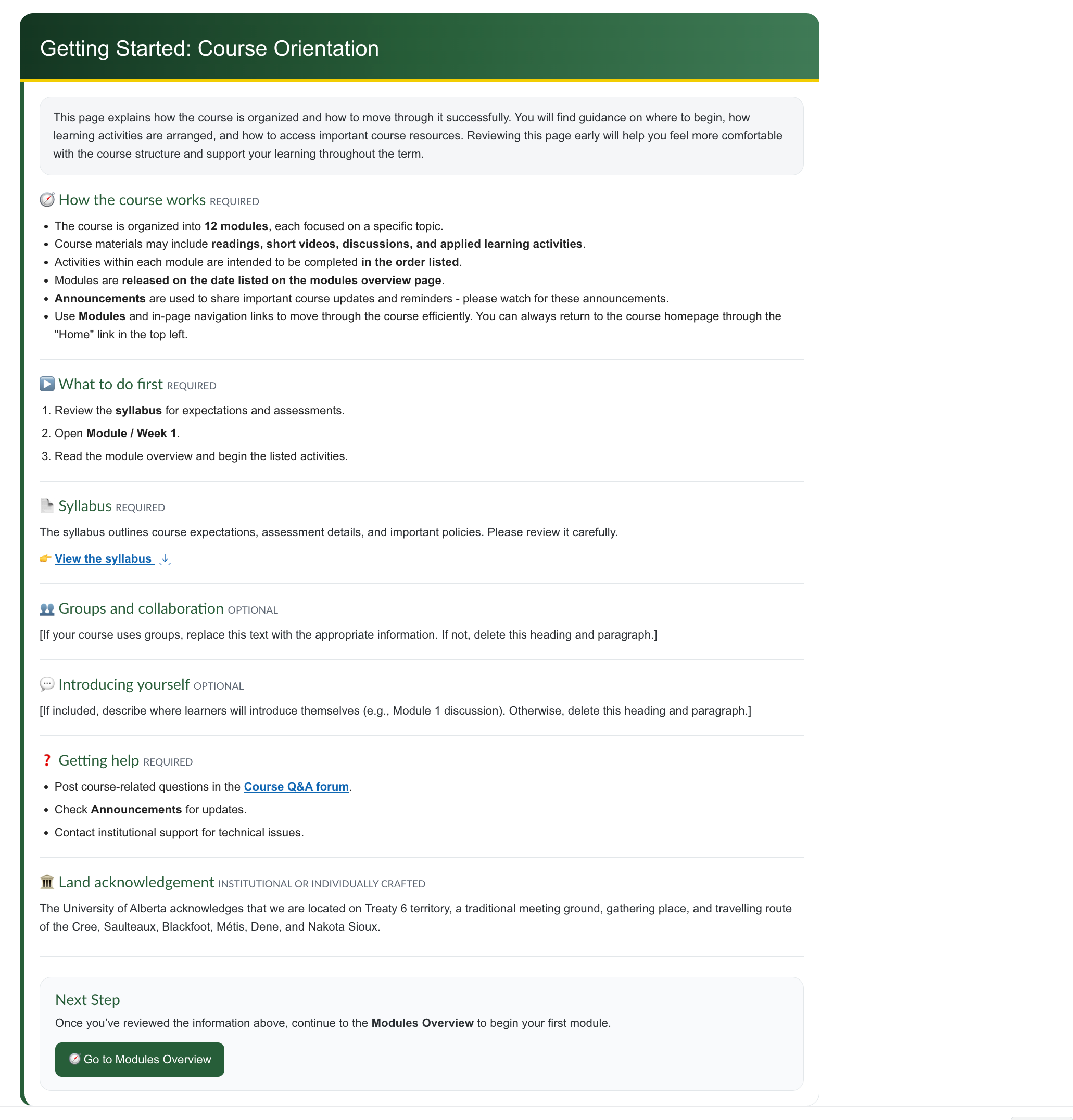
Getting Started Homepage
Modules/Week Overview Page
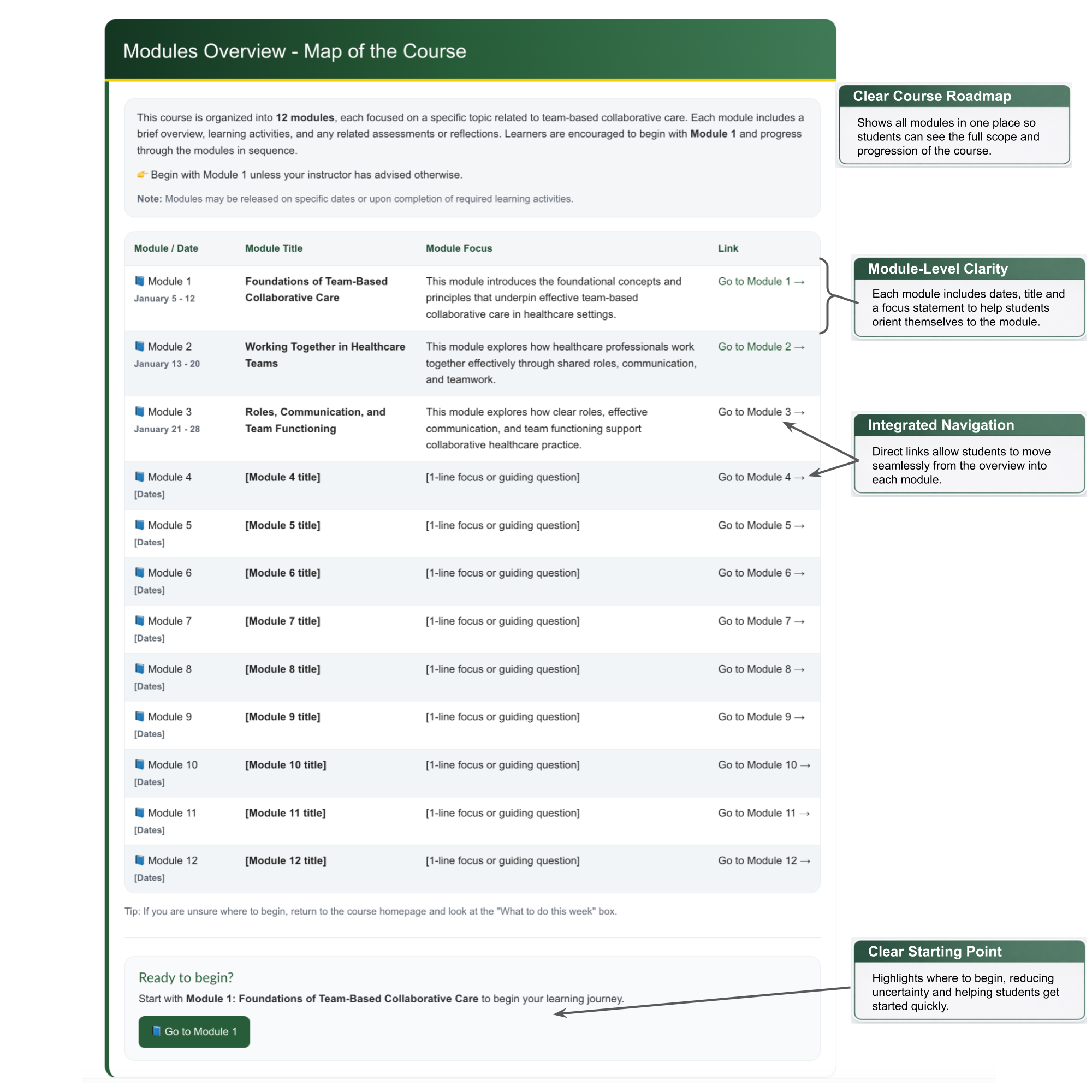
The Modules, Weeks or Chapters Overview page helps students understand how the course is organized and how learning progresses over time. By presenting the structure and key components in one place, it supports planning and helps students navigate the course more effectively. The first view shows the page in its clean form, followed by an annotated version highlighting key design features.
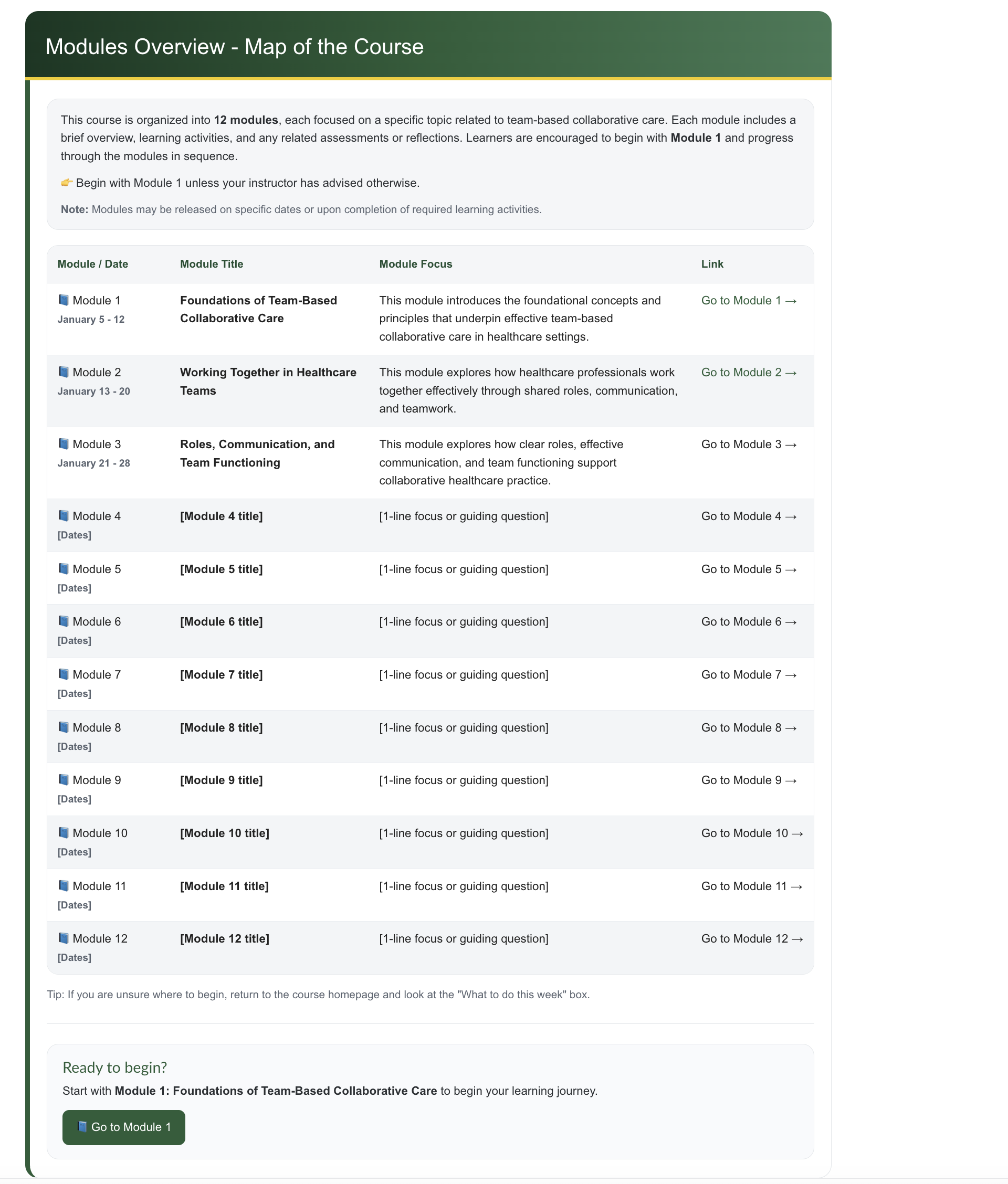
Modules/Weeks Overview Homepage
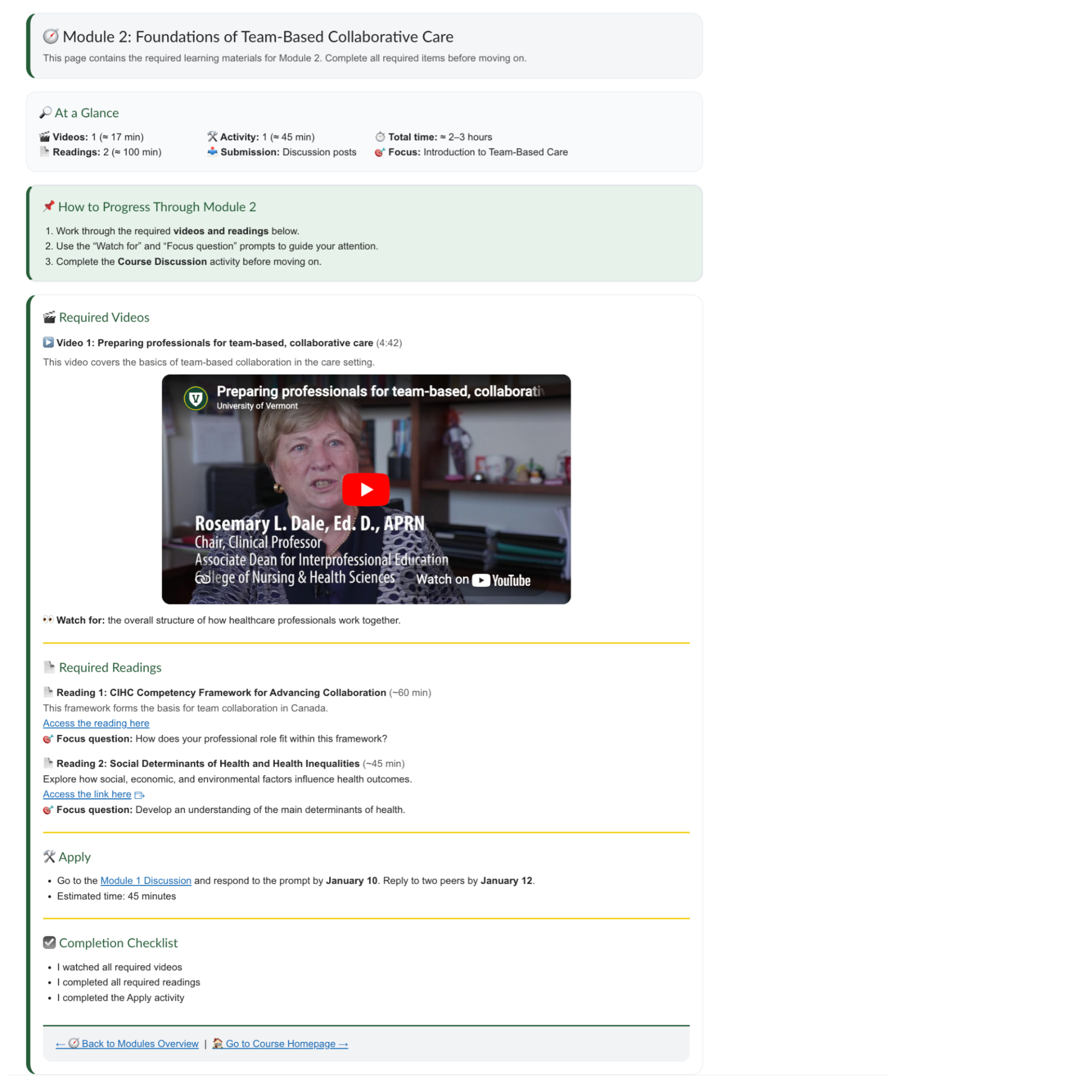
Modules/Week Page
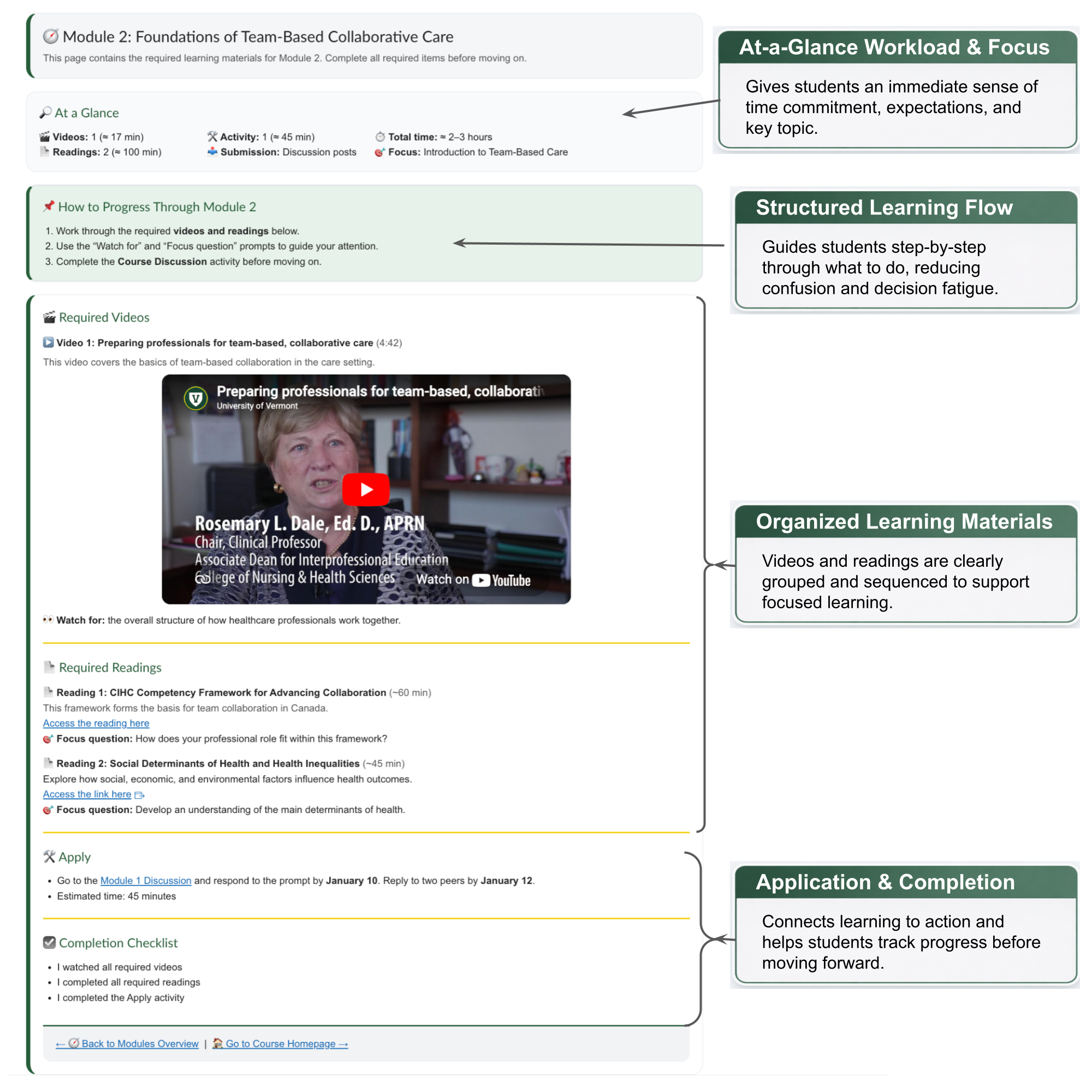
This page shows how each module is designed to support a clear and manageable learning experience. Content, activities, and assessments are organized into a logical flow so students always know where to start, what to do next, and how their work connects to the broader goals of the course. The second image illustrate key design decisions that support clarity, reduce cognitive load, and guide students through the module with confidence.
Module/Week Homepage
Assessments Page
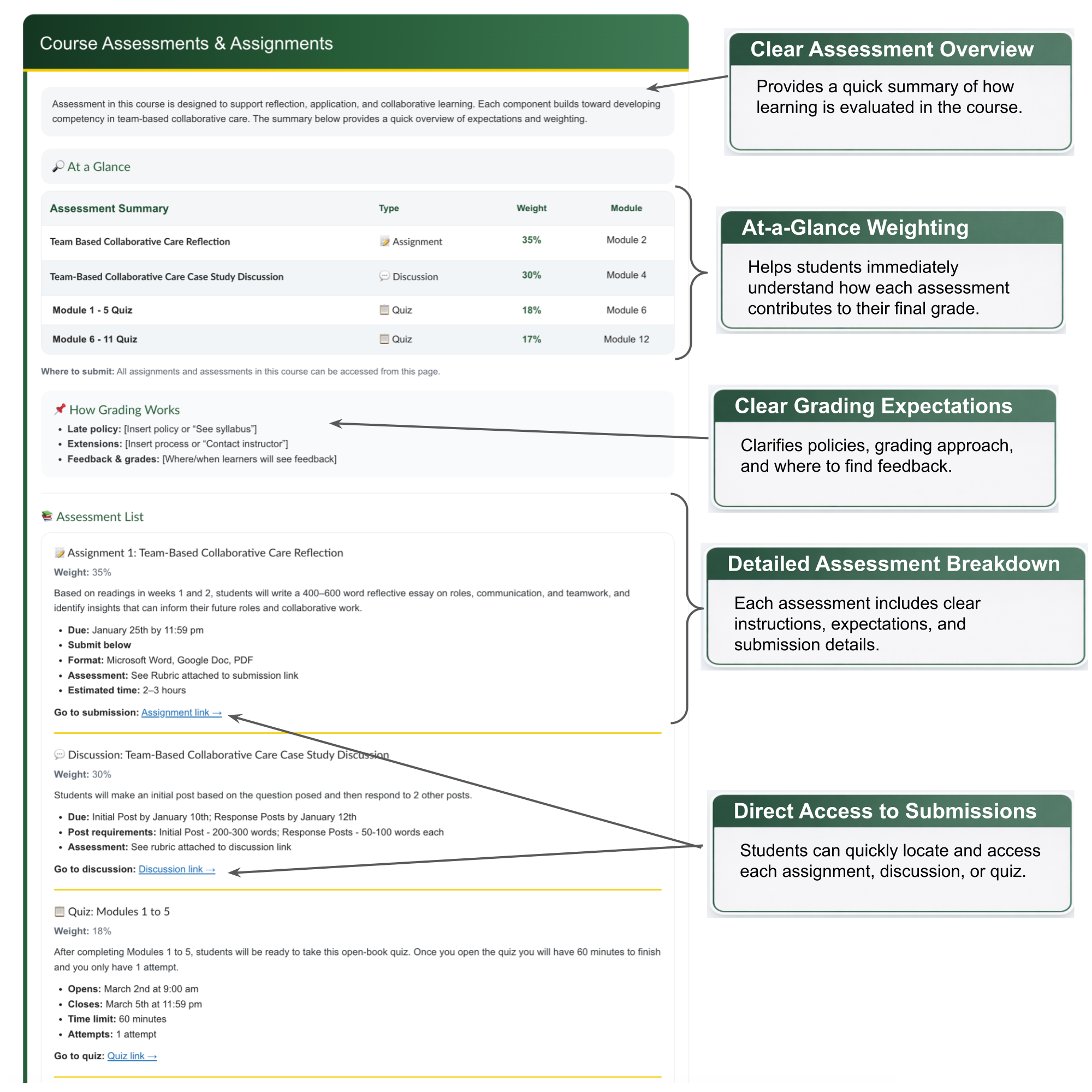
This page provides a clear and structured overview of how learning is assessed in the course. Assessments, weightings, and expectations are presented in a way that helps students quickly understand what is required and how their work contributes to overall success. The callouts on the second image highlight key design features that improve transparency, reduce uncertainty, and make it easy for students to locate, understand, and complete their assessments.
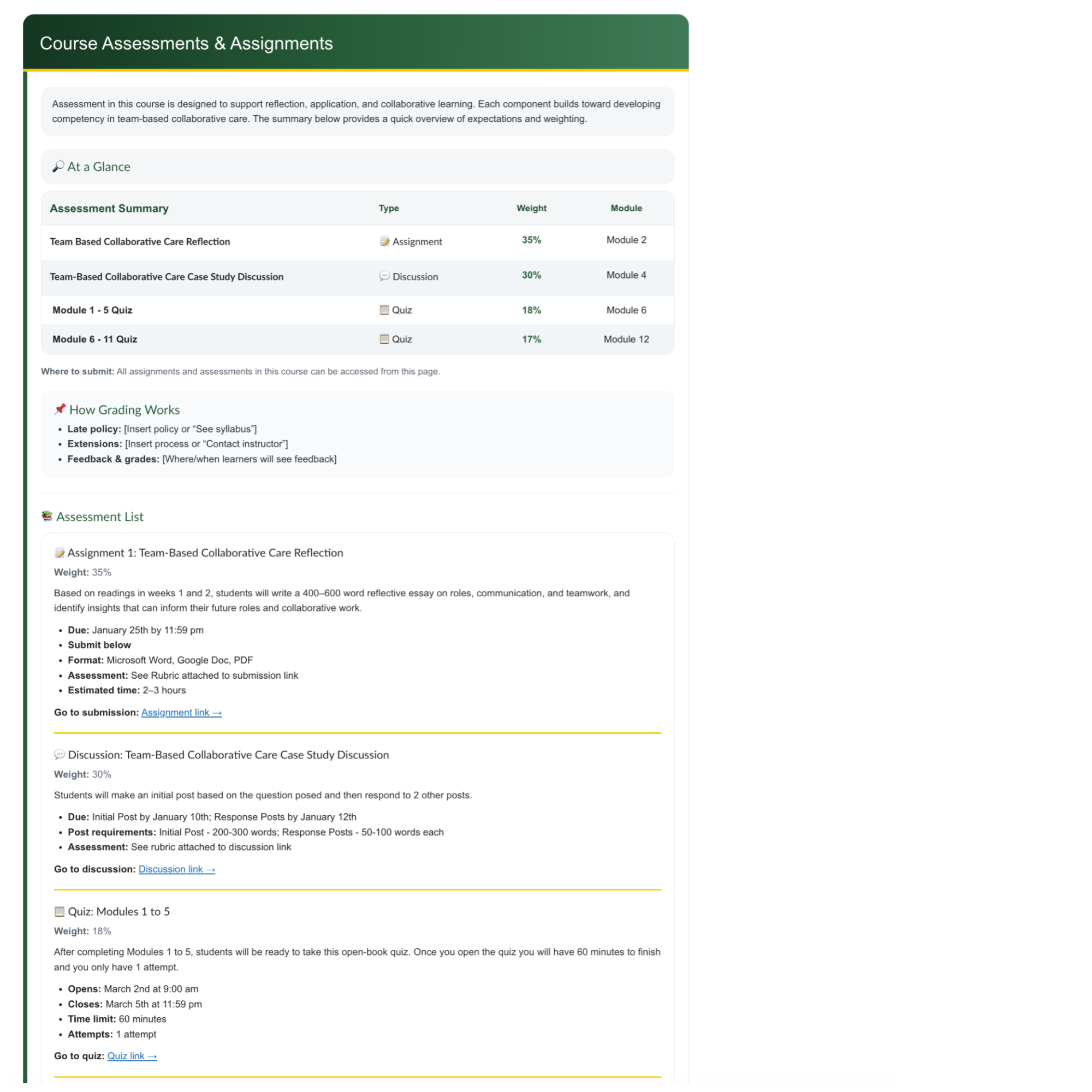
Assessments Homepage